Feature
Try Gemini in Android Studio
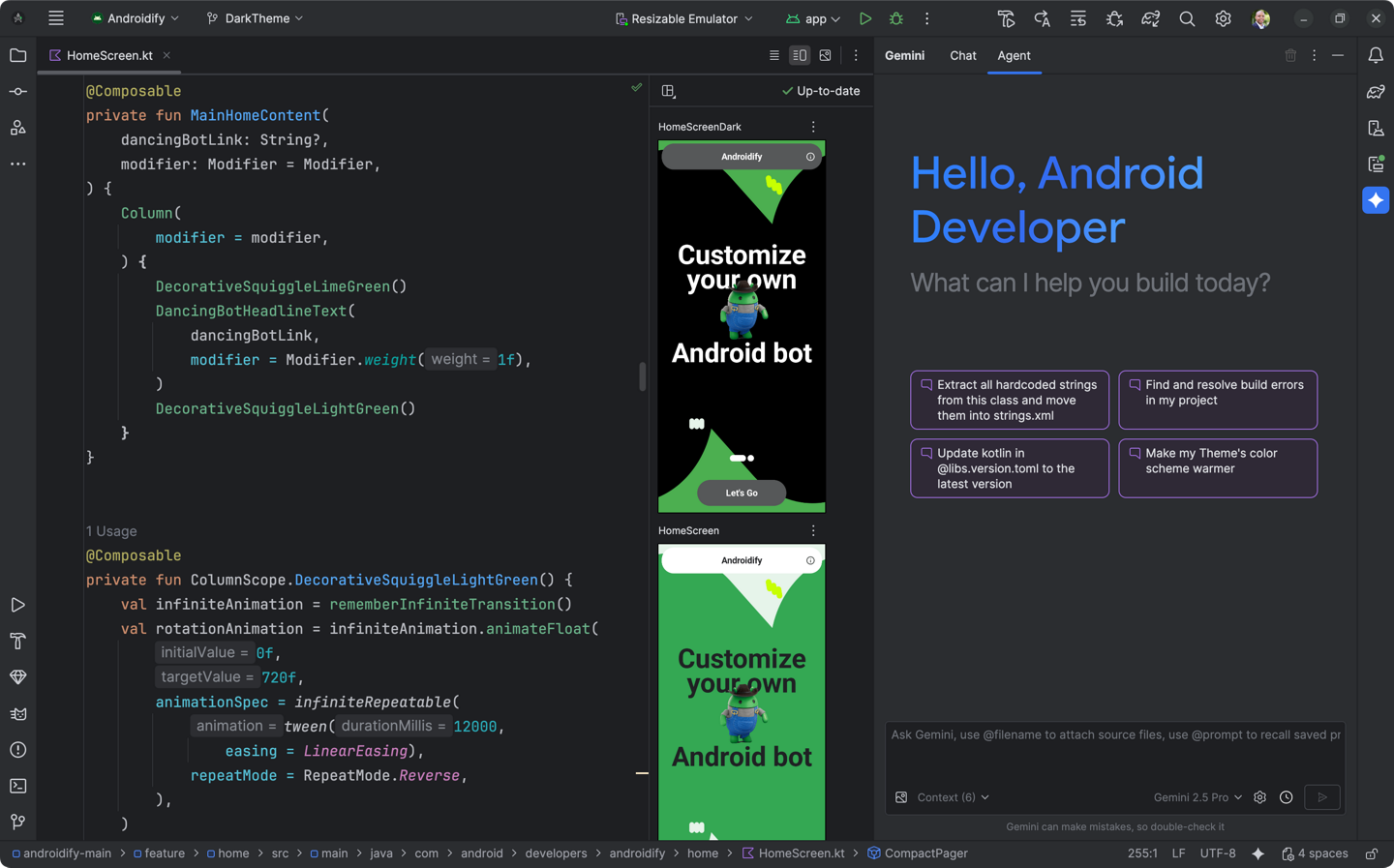
Gemini in Android Studio is an AI assistant that helps you generate code, fix code, and answer questions about Android app development.

Android IDE
Android Studio unifies a responsive code editor, Gradle-driven builds, phone and foldable emulators, and deep quality tooling—including Jetpack Compose for modern interfaces.
Latest
Highlights from recent Android Studio releases. Scan the cards, then watch the short clips.
Feature
Gemini in Android Studio is an AI assistant that helps you generate code, fix code, and answer questions about Android app development.
Feature
Android Device Streaming lets you run apps on real devices, directly from Android Studio, to help you make sure your app works great across different screen sizes, OEMs, and Android versions.
Product
Design, develop, build, test, and publish with tooling that stays aligned from first layout ideas through store ready bundles.
Design
Create dynamic layouts with Jetpack Compose. Then preview your layouts on any screen size and inspect Compose animations using the built-in inspection tools.
Develop
Write better code, work faster, and be more productive with an intelligent code editor that provides code completion for Kotlin, Java, and C/C++ programming languages. Moreover, when editing Jetpack Compose you can see your code changes reflected immediately with Live Edit.
Build
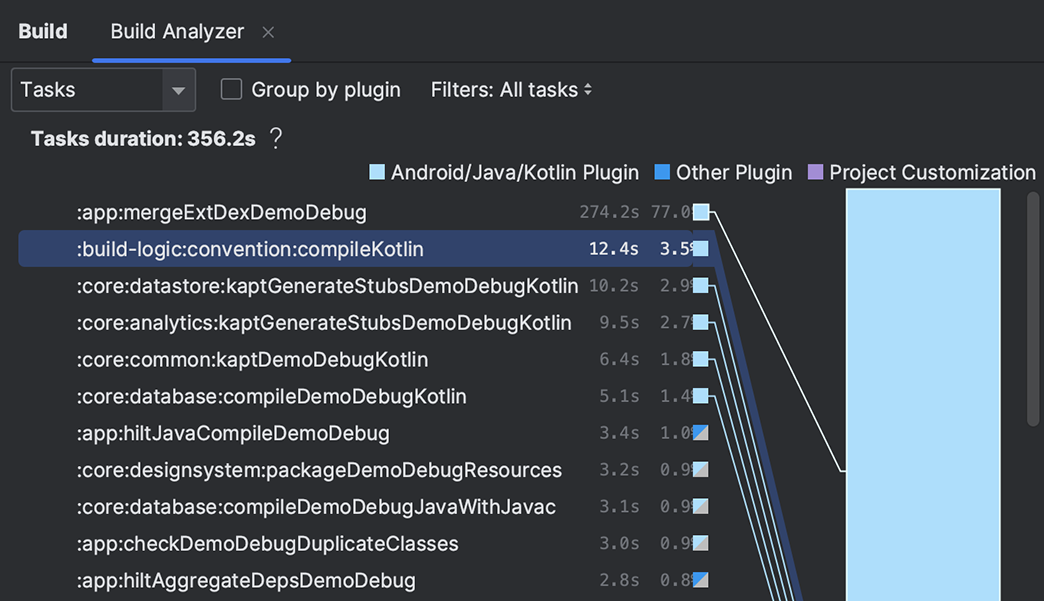
Powered by Gradle, Android Studio's build system lets you customize your build to generate multiple build variants for different Android devices from a single project. Then analyze the performance of your builds and understand where potential build issues exist in your project with the Build Analyzer.
Test
The Android Emulator lets you to test your application on a variety of Android devices. Unlock the full potential of your apps by using responsive layouts that adapt to fit phones, tablets, foldables, Wear OS, TV and ChromeOS devices.
Publish
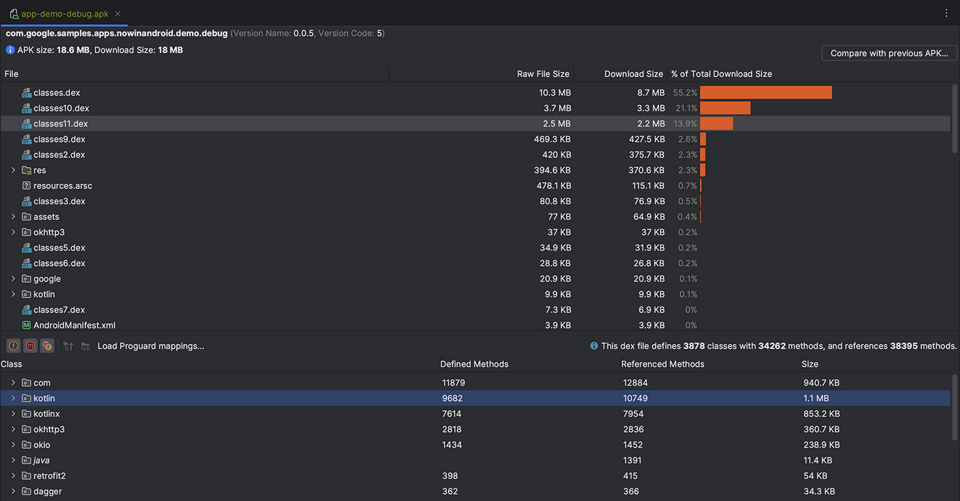
Find opportunities to optimize your Android app size before publishing by inspecting the contents of your app APK file or Android App Bundle. Inspect the manifest file, resources, and DEX files. Compare two APKs or Android App Bundles to see how your app size changed between app versions.
Why teams choose it
From indie apps to large product teams, Android Studio is built to keep you in flow: fewer context switches, clearer diagnostics, and tooling that understands Android modules, resources, and build variants.
Navigate large codebases with search everywhere, call hierarchies, and structured replace that respects Kotlin and Java semantics.
Gradle sync issues surface with actionable messages, dependency graphs help you audit libraries, and build scans clarify bottlenecks.
Profile jank, leaks, and excessive wakeups with tools tuned for Android runtime behavior, not generic desktop assumptions.
Social proof
Short notes from engineers about day to day wins with Android Studio. Hover the strip to pause.
Compose preview saves hours
Interactive preview and animation inspection make UI iteration feel immediate compared to full deploy cycles.
Mobile engineer, productivity app
Profiler found the leak
Memory profiler snapshots helped us track a retained context issue across two screens.
Tech lead, consumer social
Gradle support is first class
Build variant switching and dependency insight reduced duplicate module mistakes for our team.
Android developer, fintech
Emulator fidelity
Foldable presets and quick rotation make layout edge cases testable without a device lab for every engineer.
QA-minded developer, games
Lint catches regressions
Static checks for permissions and deprecated APIs show up early in the editor before CI fails the build.
Staff engineer, health
Layout inspector clarity
Seeing recompositions and the view hierarchy together speeds up UI debugging on complex screens.
UI engineer, e commerce
Compose preview saves hours
Interactive preview and animation inspection make UI iteration feel immediate compared to full deploy cycles.
Mobile engineer, productivity app
Profiler found the leak
Memory profiler snapshots helped us track a retained context issue across two screens.
Tech lead, consumer social
Gradle support is first class
Build variant switching and dependency insight reduced duplicate module mistakes for our team.
Android developer, fintech
Emulator fidelity
Foldable presets and quick rotation make layout edge cases testable without a device lab for every engineer.
QA-minded developer, games
Help
Common questions on one screen. Tap a row to expand. For the full list, use the button below.